


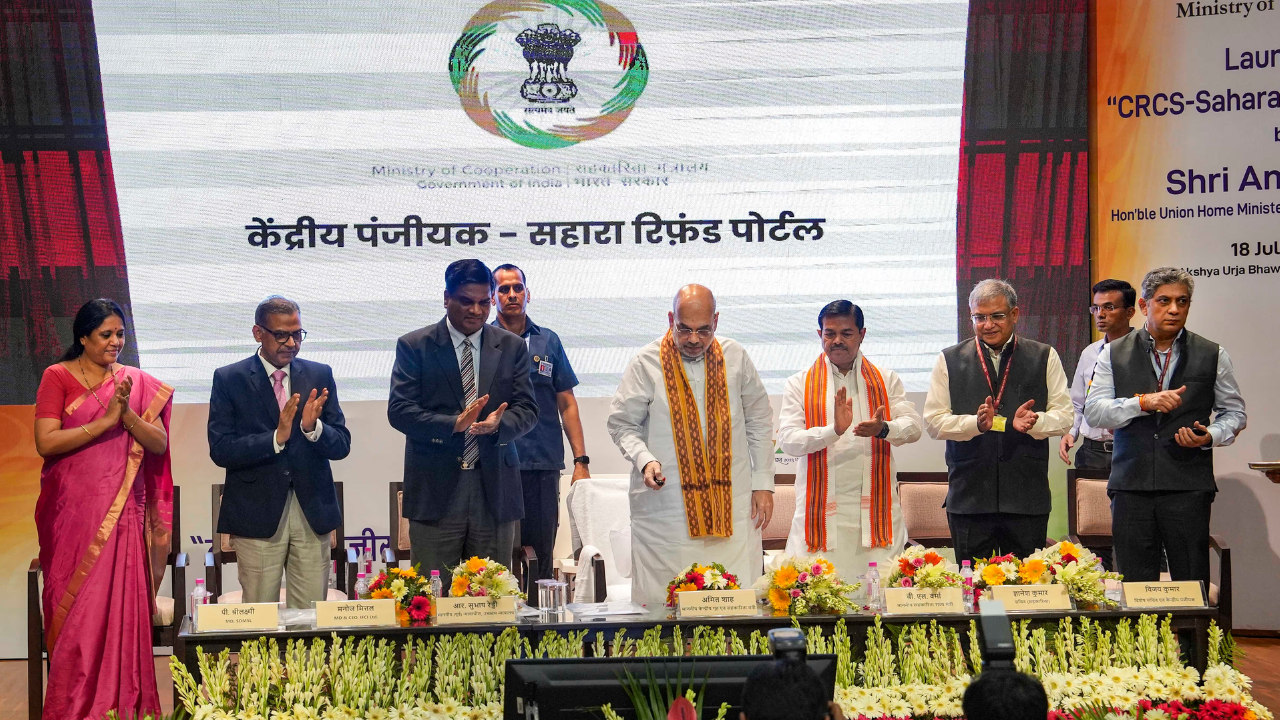
CRCS-Sahara Refund Portal is a portal that assists the eligible depositors of the Sahara cooperative society to file refund claims online. On 18th July 2023, the Government of India launched the portal to enable the return of legal deposits, as directed by the Supreme Court.
Depositors can enroll and submit their claim information, upload paperwork, and track the status of their refunds via the internet. It is digital and paperless with verified payment and transfer to an Aadhaar seeded bank account. The refund process is also extended until December 31, 2026.
What Is the CRCS Sahara Refund Portal?
The CRCS-Sahara Refund Portal is an online portal provided by the Central Registrar of Cooperative Societies with the purpose of refunding the legitimate depositors in four Sahara Group cooperative societies.
The portal was launched on the 18th of July 2023 as per the Supreme Court order dated 29th March 2023. All refunds are electronic and have no paper involved. Claims are verified with proof of deposits and identity of the depositor prior to payment.
The official website is mocrefund.crcs.gov.in and the depositors must refer to the government site and not to any unofficial site or agent who promises to receive the refunds.
Who Is Eligible For Sahara Refund?
People who are genuine investors in the four Sahara co-operative societies are eligible to avail the facility of the refund.
- The credit co-operative society, Sahara Credit Cooperative Society Ltd., Lucknow.
- Saharayn Universal Multipurpose Society Ltd., Bhopal
- Humara India Credit Cooperative Society Ltd, Kolkata, is an Associate of the RBI.Humara India Credit
- Cooperative Society Ltd, Kolkata is an Associate of RBI.
- Stars Multipurpose Cooperative Society Ltd., Hyderabad.
The depositor shall have a valid deposit account and an outstanding balance to be eligible for refunds pursuant to the refund procedures applicable. The Government clearly states that these four societies are the societies for which the CRCS Sahara Refund Portal is applicable.
Depositors should also be able to bring the correct documents when applying for the deposit including identification and other deposit records.
Documents Required for CRCS Sahara Refund
In preparing for the application, the following information and documents should be on hand:

- Membership number
- Deposit account number
- Aadhaar card
- Aadhaar-linked mobile number
- Aadhaar-seeded bank account
- Provide a deposit certificate or records of deposits.
- Passbook showing bank balances, if any
- PAN Card (if applicable for the claim)
Ensure that the details provided in Aadhaar and bank are accurate. Refund will be credited directly to Aadhaar seeded bank account upon verified success.
Read Also: Invertis ERP: Complete Guide to Login, Features & Benefits
How to Apply for Sahara Refund Online?
The eligible depositors are allowed to make the claim via official CRCS-Sahara Refund Portal. The following is a general outline of how to do this:
Step 1: Click On the Official Portal
Click on the Depositor Registration link on the CRCS-Sahara Refund Portal home page, link https://mocrefund.crcs.gov.in.From the CRCS-Sahara Refund Portal homepage, click on Depositor Registration.
Step 2: Aadhaar and Mobile Verification
Fill in the last four digits of Aadhaar and your Aadhaar-registered mobile number. Fill in captcha, and click Generate OTP.
Add the OTP that you received on your mobile number and finish the verification procedure.
Step 3: Accept the UIDAI Declaration
Once you have successfully registered, UIDAI declaration page will appear. Read the information carefully and agree to the declaration and proceed.
Step 4: Ensure Your Personal Information is Correct
Provide full Aadhaar Number on the request and again get OTP. That will allow you to review your personal data before proceeding to the claim area.
Step 5: Enter the Bank and Personal Information
Fill in personal details and bank details seeded with your Aadhar. Be sure to verify the bank details before proceeding.
Step 6: Enter Claim Details
Enter the information needed to claim your society, membership number, deposit account information, and other necessary claim information. Upload the necessary documents as per the request of the portal.
Scrub through all the information and append the claim.
Step 7: Create and submit the Claim Form
Once the information on the claim is entered, a Claim Request Form will be created. Print off the form and fill in your photograph and signature as appropriate.
Submit completed form and other required documentation. Review and confirm the information and submit a claim.
Once submitted a Claim Request Number is created. Write this number down as you may need to keep a record of your application later.
How to Login to the CRCS Sahara Refund Portal?
If you’ve already registered, you can log in to the account via the depositor login feature.
Follow these steps:
- Visit the official CRCS-Sahara Refund Portal.
- Select Depositor Login.
- Input the last 4 digits of the Aadhaar number.
- Enter Aadhaar registered cellphone number.
- Complete the captcha.
- Select Get OTP.
- Enter the number you received on your mobile phone.
Click on log in.
Upon successful verification, you will be able to see your depositor dashboard, and claim information is available.
How to Check CRCS Sahara Refund Status Online?
Once a claim is submitted, you can track the claim’s status via the portal.
Step 1: Visit the official website and click on Depositor Login. Fill Aadhaar and OTP details to log in your dashboard. It will show you what you’re claiming and whether you’re making a claim.
These are a few common status messages:
- Processing: Your claim is still being processed or has not been finally verified.
- Refund Payment Succeeded: The refund payment has been successful.
- Deficiency Communicated: Claim has a problem or missing information identified. The depositor will have to correct the problem and reapply for the same.
- Payment-Failed: There was something wrong with making the payment.
In the event that a deficiency is communicated, depositors should read the message carefully and follow the official re-submission process if applicable. The Government re-opened the re-submission portal on November 15, 2023.
Latest CRCS Sahara Refund Update 2026
The refund process has been steadily growing in 2026. The Government has released that 1,45,15,611 applications and 4,06,25,476 claims have been received till February 2026 on the aforementioned portal.
An amount of ₹8,783.55 crore had been disbursed to 40,33,448 investors of the Sahara Group cooperative societies. The Supreme Court also directed to transfer of an additional amount of ₹ 5,000 crore from Sahara-SEBI Refund Account to the Central Registrar of Cooperative Societies.
The disbursement period has been extended to 31st December 2026. The Government is still working on genuine and verified claims on the portal.
Final Word
The CRCS-Sahara Refund Portal is an online platform for the eligible depositors of Sahara cooperative society to submit and monitor refund claims. In the ongoing process, ₹50,000 as per the verified claims are provided and the funds are released through a bank account seeded with Aadhaar. Only use Mocrefund CRCS gov through the official government site, ensure that your information is correct and don’t use any agents or websites that are not official.
FAQs
1.What is Mocrefund CRCS gov in?
Mocrefund CRCS gov is the official Refund Portal of CRCS-Sahara where eligible depositors of the Sahara co-operative society can claim for refunds, complete verification and status checking of their application.
2.Who is eligible to receive a refund of the Sahara?
Any depositor of the four eligible Sahara Group Multi-State Cooperative Societies who fulfills the applicable conditions for deposit or claim is eligible to apply.
3.Is there any fee to apply for a Sahara refund?
No application fee for submitting a claim on the official CRCS-Sahara Refund Portal. Anyone who asks for money to guarantee or hasten a refund should be watched by the depositor.
4.How can I check my Sahara refund status?
Visit the official website, click on Depositor Login and fill in the Aadhaar and OTP details.
5.What does it mean when a claim has “Deficiency Communicated”?
Carefully read the deficiency message and determine what was not provided or the information that was wrong. Address the problem and, if suitable, use the official re-submission process.
Read More: BestKodiTips.com: The Go-To Spot for Kodi Users and Cord-Cutters
